Review the calls that matter, not a random sample.
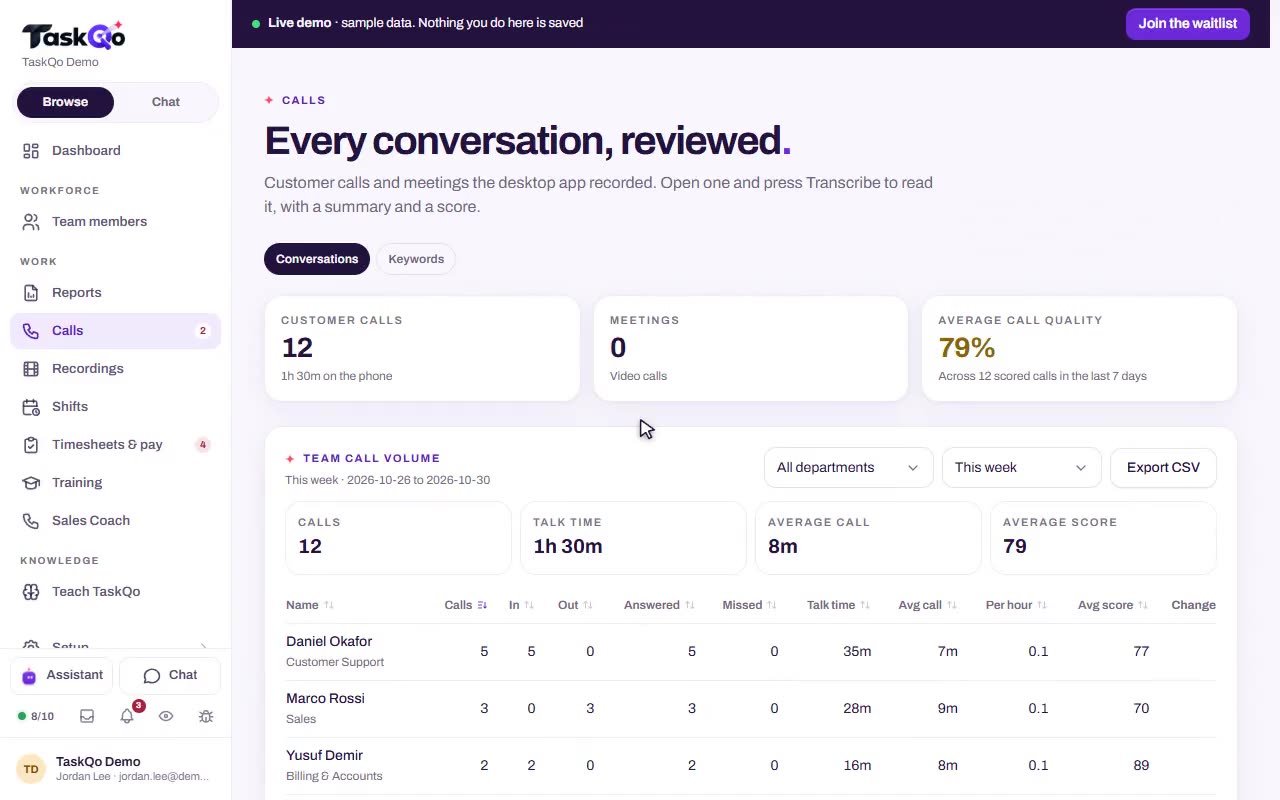
Sampling a few calls a week leaves most conversations unheard. With TaskQo, any recorded call can be transcribed and scored in one click, and the time between calls is classified minute by minute.
7-day free trial · No card needed
What you get
Any recorded call, on request
Open a recording and get a speaker-labelled transcript, a QA score for communication, issue resolution and professionalism, and the customer's reaction.
Coaching at the exact moment
Notes point to the moment in the call where it turned, such as a discount offered before the objection was heard, with a suggested fix.
39 transcription languages
Calls are transcribed in 39 languages, so agents on multilingual lines get the same review as everyone else.
Recording that follows state rules
Choose the states your agents call. Where everyone on the line must agree, the other side is told before both sides are recorded.
What gets easier
QA hears a few calls per agent and misses the ones that went wrong.
Open any recorded call and get a transcript, QA score and coaching notes in one click.
Coaching feedback is vague because nobody remembers the exact moment.
Coaching notes carry the timestamp where the call turned, with a suggested way to handle it next time.
Time between calls is a black box.
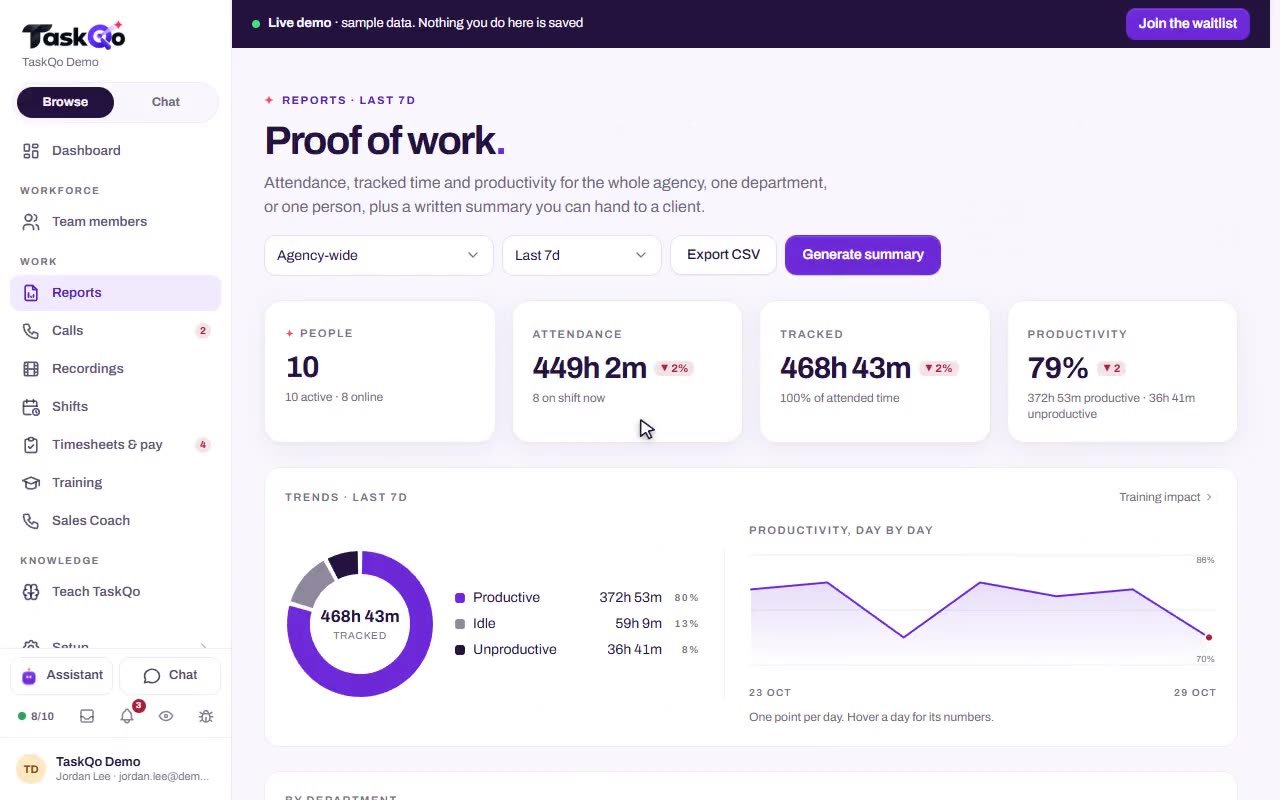
Every tracked minute is classified productive, unproductive or idle, so idle and off-task time sits next to talk time.
Recording rules differ from state to state.
Pick the states your floor dials into. In all-party consent states, the other side is told before recording starts.
How it works
- 1
Turn on call review
The desktop app records supported calls and meetings during shifts, with both sides where the computer's sound can be captured.
- 2
Open and transcribe
Pick any recording and press Transcribe. One click returns the transcript, the QA score, the customer's reaction and coaching notes.
- 3
Coach and track quality
Bring the coaching notes into one-to-ones, then follow average call quality and QA averages by department in your reports.
Why random sampling misses the problem calls
When QA reviews a handful of calls per agent, the calls that went wrong are often the ones nobody hears. TaskQo lets reviewers open any recorded call, not a random sample, and get a transcript and score without listening from start to finish.
Reviewers spend their time on the calls that need it, and QA scorecards stop living in separate spreadsheets.
- Speaker-labelled transcripts
- Scores for communication, issue resolution and professionalism
- The customer's reaction on each reviewed call
- Coaching notes managers can act on
What agents do between calls
Talk time is only part of a shift. TaskQo captures one screenshot each tracked minute and marks it productive, unproductive or idle, so after-call work, idle stretches and off-task time show up next to the calls.
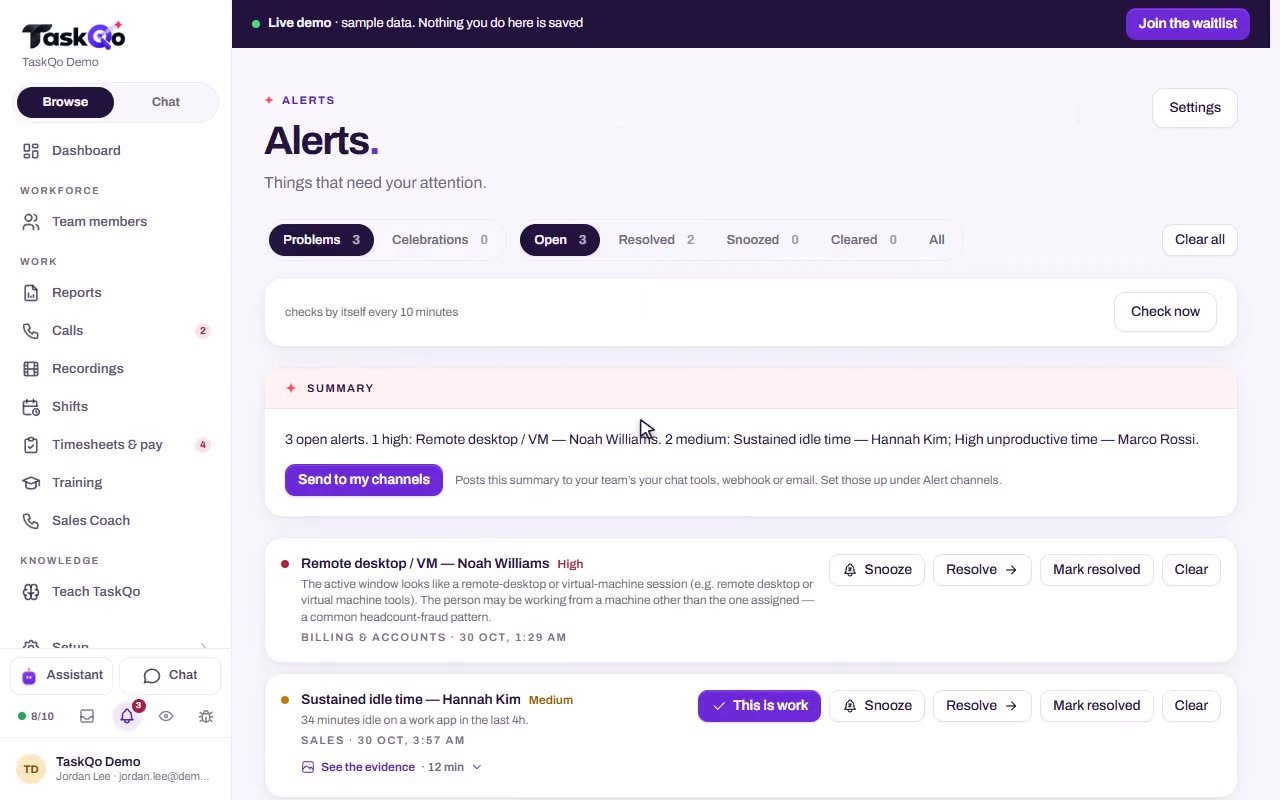
Idle, off-task and risk alerts reach managers as they happen, with the minutes cited. No flag touches pay or scores by itself.
- Checks run by themselves every 10 minutes
- Long idle stretches and mouse jiggler patterns flagged
- A person decides what each flag means
Protect callers and agents on the record
In states where everyone on a call must agree to recording, TaskQo makes sure the other side is told first, either by your agent or by a short message your dialer plays. Calls into those states stay unrecorded until you pick one of the two.
When a payment screen is open during a recorded call, that part of the audio is silenced before it is kept.
- Recordings kept in TaskQo storage, encrypted for your organization
- Deleted on the retention schedule you set
- Agent consent on record before any capture
AI results are never the only basis for a decision about a person, and an agent can press "This is wrong" on any score about them and get an answer with a reason.
Questions
Which calls can we review?
Any recorded call. When call review is enabled, TaskQo records supported calls and meetings during shifts, and one click on a recording gives you the transcript, QA score and coaching notes.
Does it record both sides of the call?
Yes, wherever the computer's sound can be captured. In states where everyone must agree to recording, the other side is told before both sides are recorded.
Which languages are supported?
Calls can be transcribed in 39 languages, and the transcript labels who is speaking.
Can we see QA results by team?
Yes. The department report shows productive time, QA averages and off-task trends by team, and you can drill from any result into the activity behind it.